MotorcoachNav rides along on your iPhone and speaks up before every railroad crossing, low clearance and weight-limited bridge ahead, checked against the coach you're driving today. Need directions? It plans coach routes and guides you turn by turn to the exact spot you'll stop.
iPhone · Lower 48 states and DC · Works with the screen locked, on its own turn-by-turn or next to the nav app you already use
MotorcoachNav says
Low clearance ahead in 1,800 feet. 11 feet 8 inches. Too low for this coach.
What it does
Eyes on the road. The app does the reading.
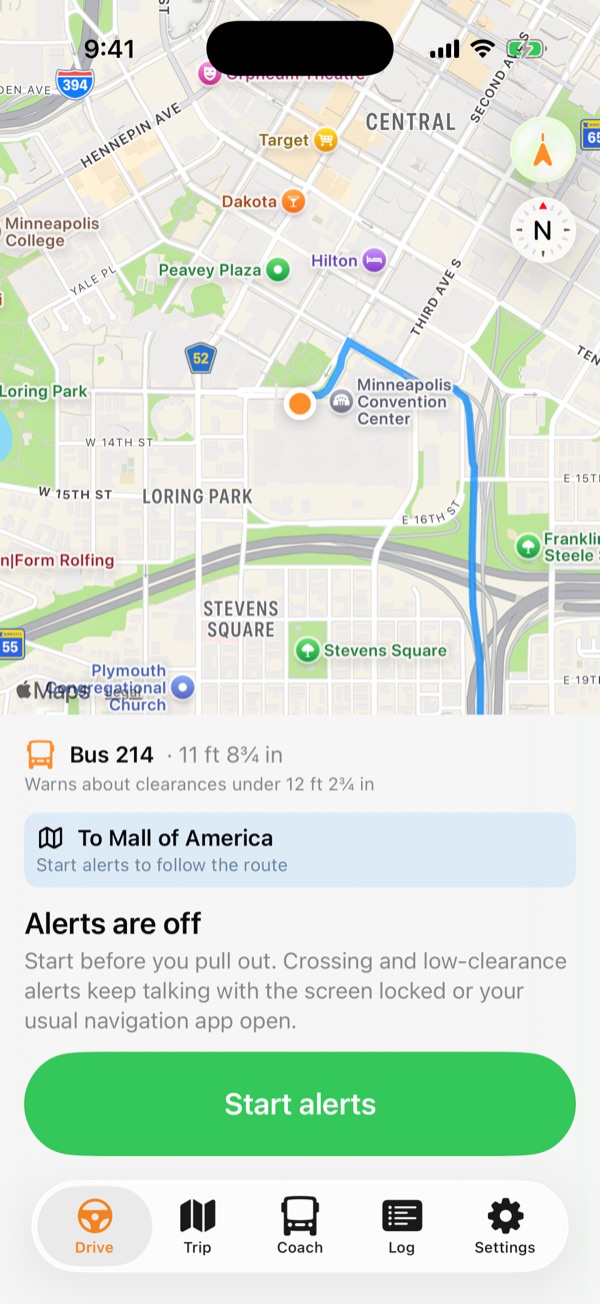
Open the app and the alerts are on. After that you never touch the phone. Alerts are spoken, even with the phone on silent. If you have other audio playing, it dips under the alerts and comes right back up.
Railroad crossings
Every public grade crossing from the federal crossing inventory, matched to the actual rail line. Crossings on side streets you're driving past stay quiet, and on a planned route so do tracks you'll pass under on a bridge. Head for one anyway and you still get a warning before it.
"Railroad crossing ahead in 1,200 feet. Gates."
Low clearances
Low bridges from the National Bridge Inventory plus railroad bridges, tunnels and canopies from OpenStreetMap. It knows going under a bridge from driving over it.
"Low clearance on the lower level."
Sized to your coach
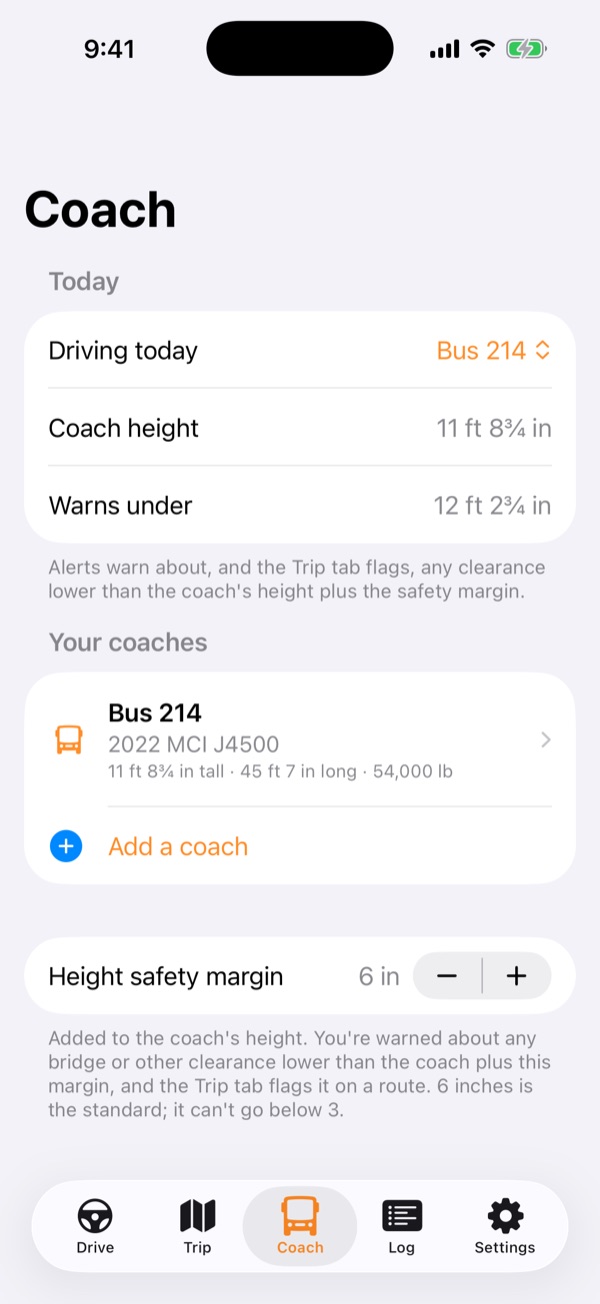
Keep every coach you drive, by bus number or model, and pick today's. You enter the height; a safety margin of 6 inches is added unless you change it.
"12 feet 9 inches. Check the posted height."
Coach routes, door side
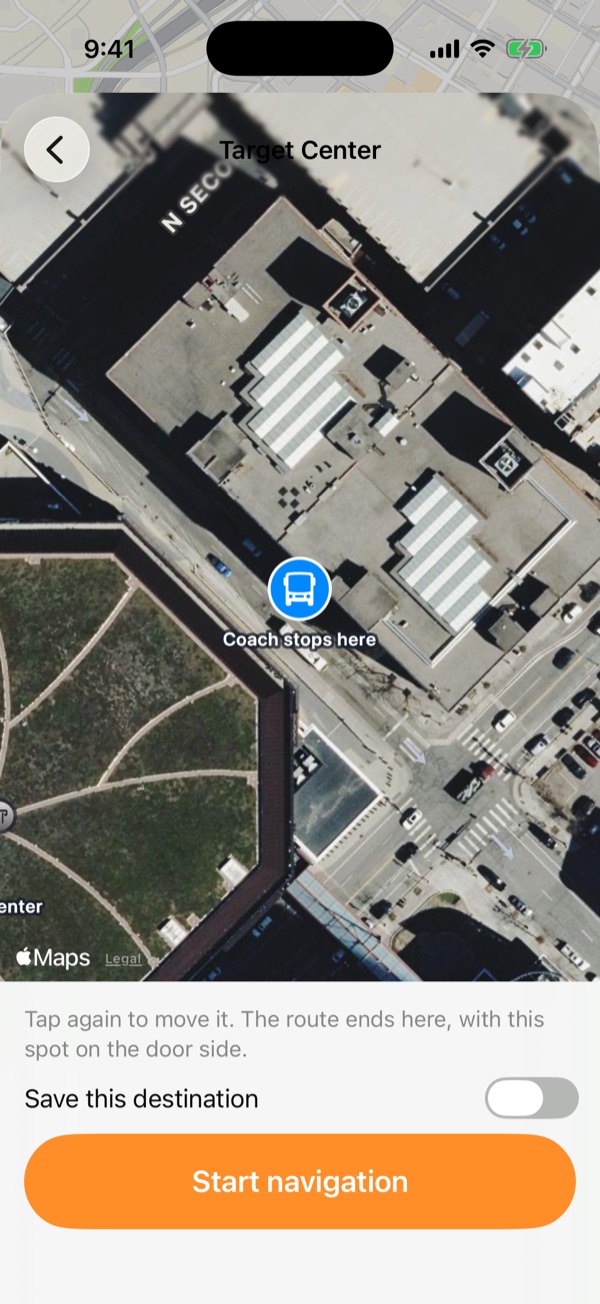
Tap Where to, then tap the exact spot the coach will stop on a satellite view: the curb, the bus loop, the back lot. The route is planned for your coach's height, length and weight with Google's large-vehicle routing and arrives with the door on the curb side. Turn-by-turn guides you there, with traffic ahead and the arrival time at your coach's top speed.
"On your route: low clearance in 1 mile, too low for this coach."
Plan ahead
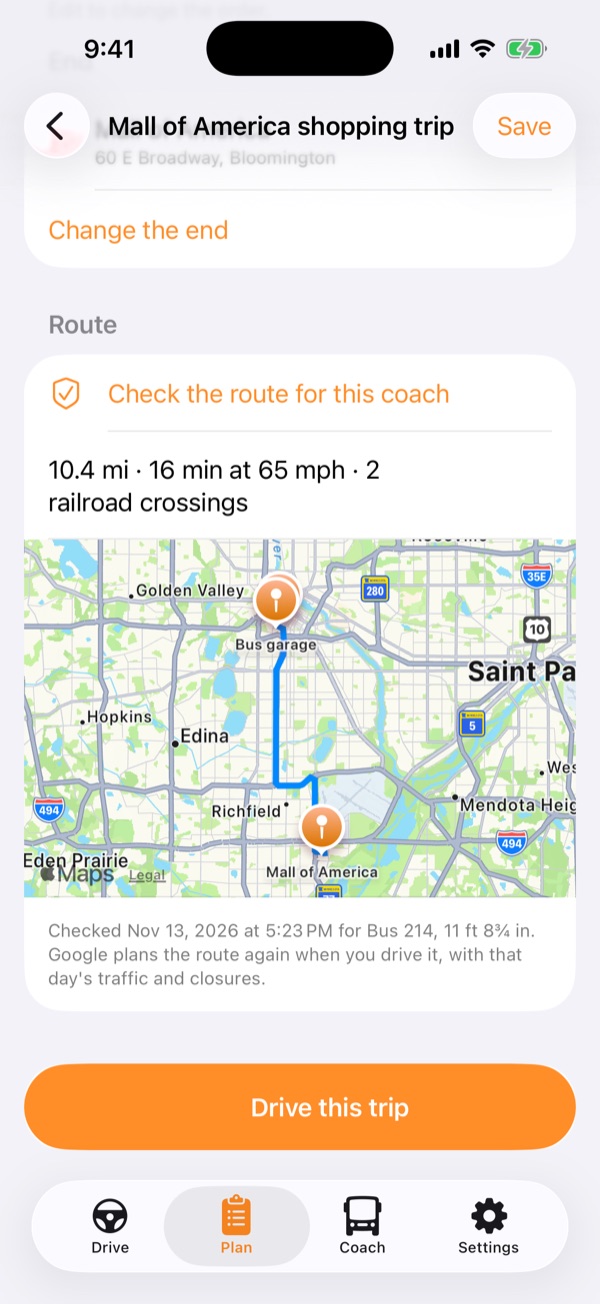
Plan a trip days before you drive it: the start, every pickup and stop in order, the end, and the coach you've been assigned. Check the route for that coach, save it, and pick it from your list when it's time. At each stop the directions wait until you tap Next stop.
Drive log
Every alert, every crossing you drove over and every low structure you went under is written down on its own. Pick the days on a calendar and send them to us, so we can check the alerts and fix anything that's off.
Every state, on the phone
Clearances, weight limits and railroad crossings for all 48 states and DC live on your phone, so alerts work in dead zones. They're rebuilt every week from federal and OpenStreetMap data; the state you're in comes first, the rest over Wi-Fi.
On the iPhone
Big type, one glance, then back to the road.
DriveAlerts on as soon as you open it, today's coach, and Where to.Where toTap the exact spot the coach stops, on a satellite view.PlanStart, stops and end, checked for the assigned coach and saved.CoachYour coaches, by bus number, with the height you measured.
Real app screens with sample data: the coach and the hazards shown are made up.
Approaching a low bridge
Timed by your speed, not a fixed distance.
Alerts come a set number of seconds out at the speed you're driving, so there's the same time to react at 25 mph in town as at 60 on a two-lane.
ABOUT 1 MILE OUT
Route heads-up
When you're driving a checked route, a clearance too low for the coach gets an early warning, even around a turn the GPS can't see yet.
ABOUT 30 SECONDS OUT
First alert
Roughly 1,000 to 2,600 feet ahead: what's coming, the height, and whether it's too low or just close.
"Low clearance ahead in 1,800 feet."
ABOUT 10 SECONDS OUT
Second alert
A short reminder right before the structure, in case the first one was talked over.
Your coach
Built by a driver, for the coaches drivers actually run.
Pick the make, model and year and the length, width, weight and axles fill in from the maker's spec sheets. The height is always yours to enter: the height posted in the cab, with anything on the roof counted.
MCIPrevostVan HoolSetraTemsaMercedes-Benz
CoachBus 412 · MCI J4500
Height (you enter)12′ 3″
Safety margin+ 6″
Warn about anything under12′ 9″
Length45′ 0″
Axles3
Example profile. Check your own coach's posted height.
Pricing
Your first month is free.
One price covers every coach you drive. Planning trips, your coaches and the drive log stay free; the subscription turns on the spoken alerts and turn-by-turn. Beta testers in TestFlight get the alerts free until the App Store release.
First monthFree
Every feature on. Cancel before it ends and you pay nothing.
Monthly$6.99 / month
Good for the busy season. Cancel any time in your iPhone's Settings.
Saves $23Yearly$59.99 / year
Works out to about $5 a month.
Subscribe right in the app: tap Subscribe on the Drive tab and the subscription screen shows both plans and the free month. It's also where you redeem a code from us, and Restore purchases brings your subscription to a new phone.
Coming next
Directions that keep going in dead zones.
Coach routes and turn-by-turn are here. Next come maps that download on Wi-Fi for the states you drive, so the directions keep going where there's no signal, the same way the alerts already do.
Posted signs come first
MotorcoachNav is a driving aid. It doesn't replace posted signs, signals or your judgment. Resurfacing, snow and damage can change a clearance, and public data can be missing or out of date. No alert doesn't mean the way is clear.
You'll accept the full Terms of Use in the app before your first drive.
Get the app
Now testing with drivers on iPhone.
MotorcoachNav is in TestFlight, Apple's beta testing app, ahead of its App Store release. Beta testers get the spoken alerts free until then, no subscription needed. Drivers and operators who want in early can write to us.